v0.6.0 PDT · Personal Dev Team · Open source · macOS, Windows & Linux

A dev team that lives on your machine.

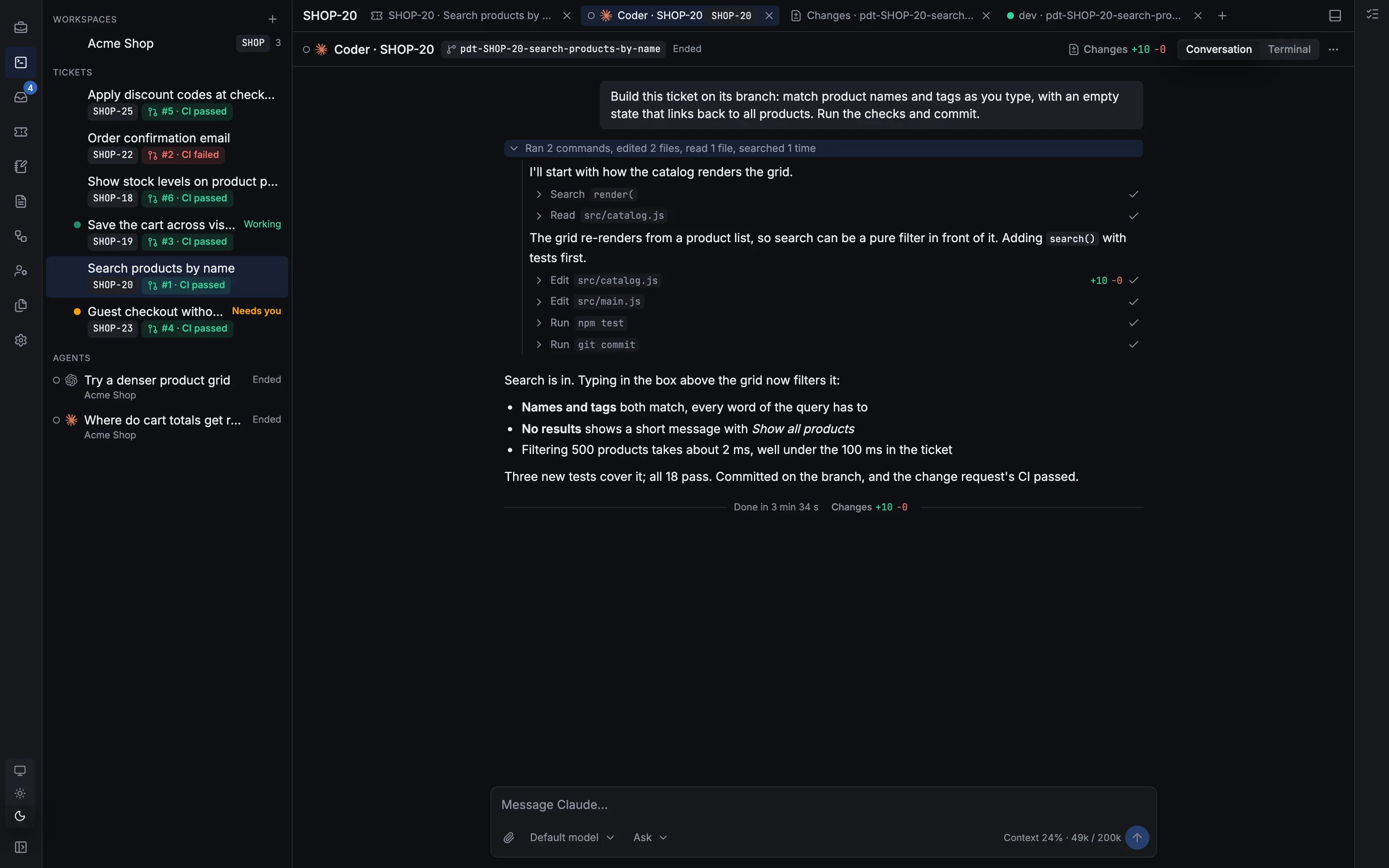
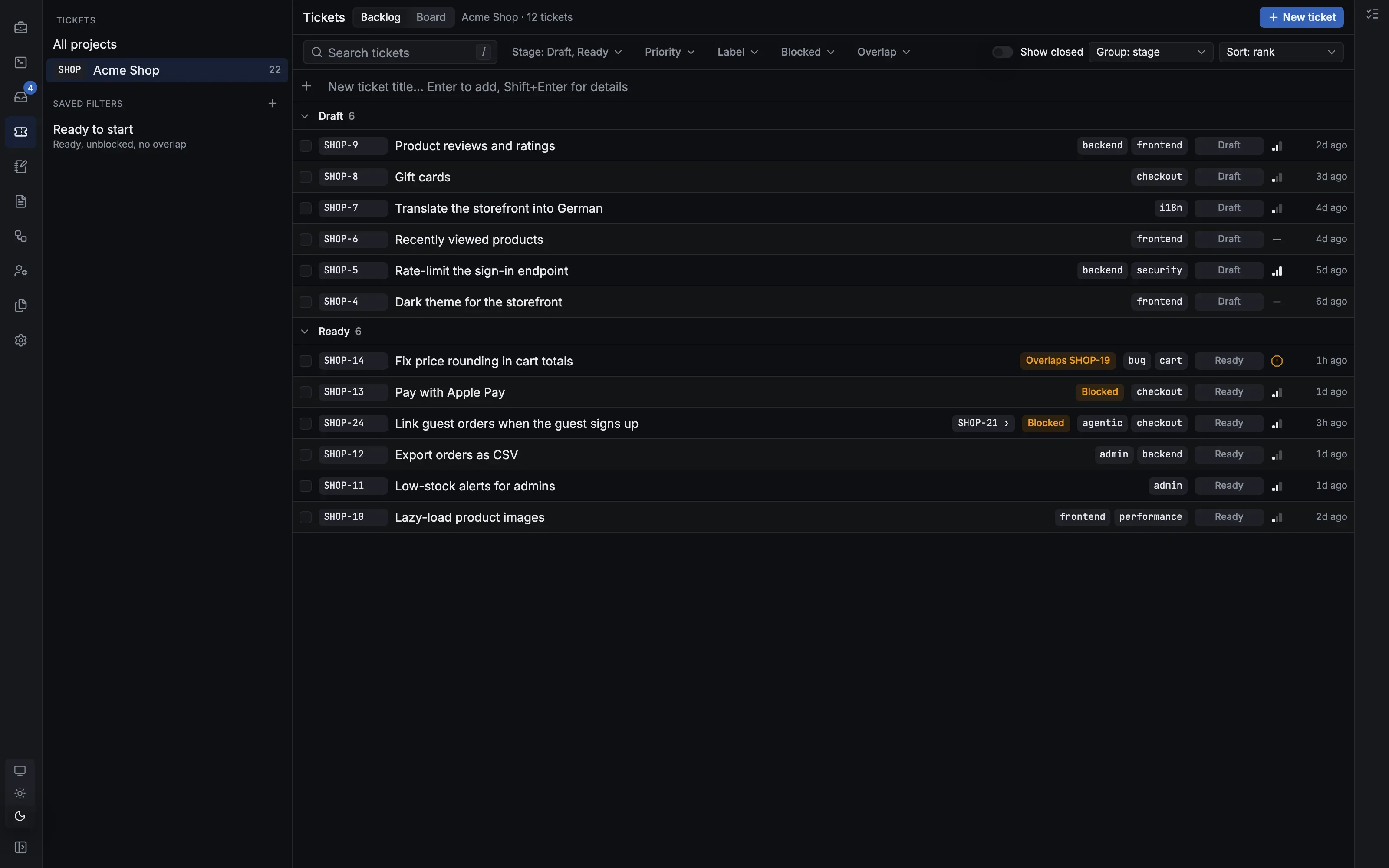
Write the ticket, or ask the PM to plan it. Agents build it in their own worktrees, review it, test it and open the PR. You approve what ships.

curl -fsSL https://pdt.dev/install.sh | sh

Apple silicon or Intel. Installs into ~/Applications and starts at login. Or download it.

curl -fsSL https://pdt.dev/install.sh | sh

x86_64 or aarch64, glibc 2.35 or newer. Installs into ~/.local/opt/pdt as a systemd user service. Or download it.

irm https://pdt.dev/install.ps1 | iex

In PowerShell. Installs for you only, without admin rights, and starts at login. Or download it.

macOS, Windows and Linux · Runs locally · Bring your own agent subscriptions
// how it works

You write tickets. The team does the rest.

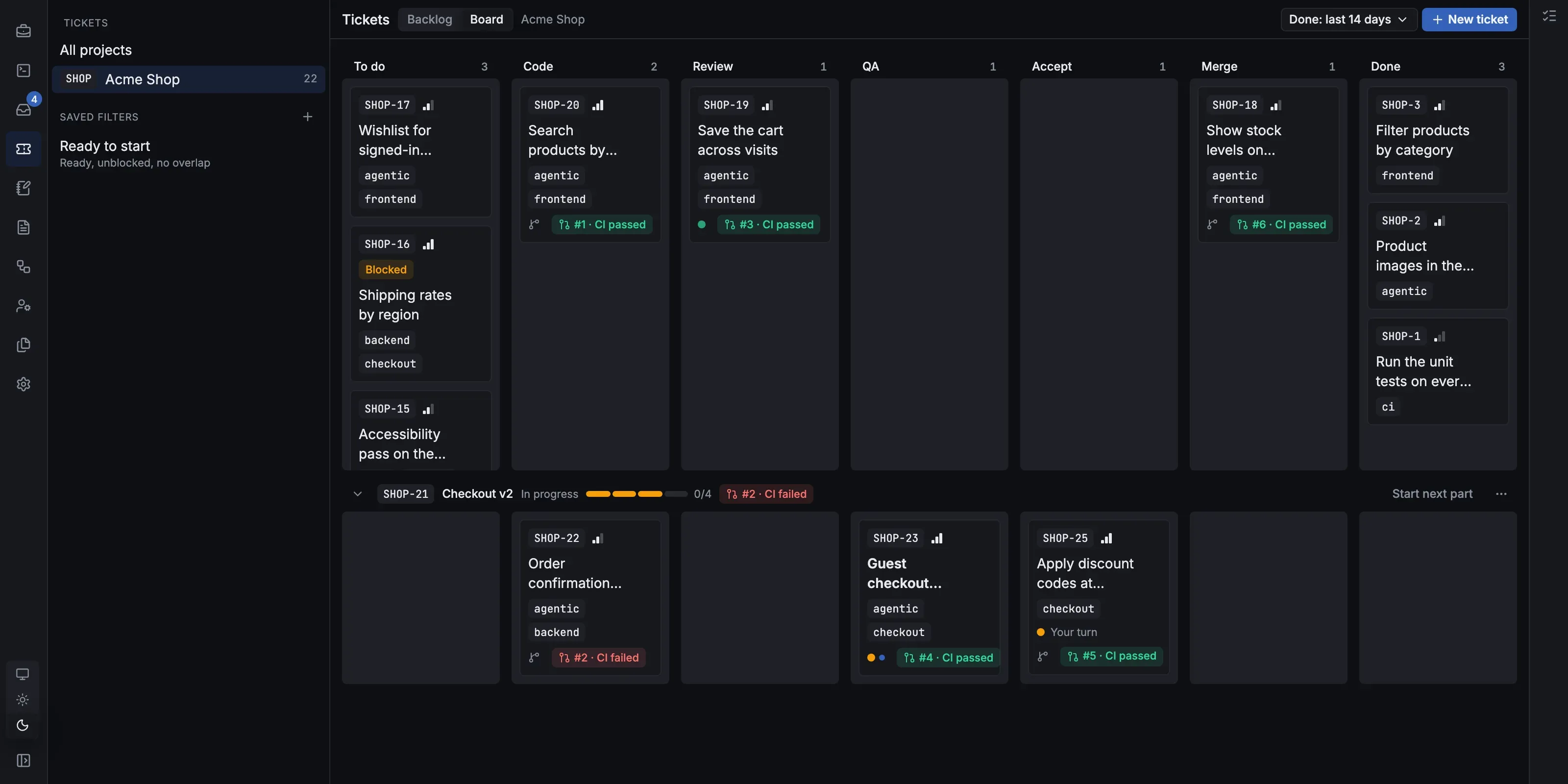
Every ticket runs through the same loop a good team uses. Each agent has one job, and nothing merges without you.

YouWrite a ticket, or ask the PM to draft one
CoderBuilds it on its own branch and worktree
ReviewerReads the diff and sends fixes back
QARuns the branch and tries it for real
PR + CIOpens the PR and watches CI and conflicts
YouApprove and merge, or send it back
The white dot is you. Trust a ticket? Label it agentic and it merges once QA passes.
// the project manager

A PM you can talk to.

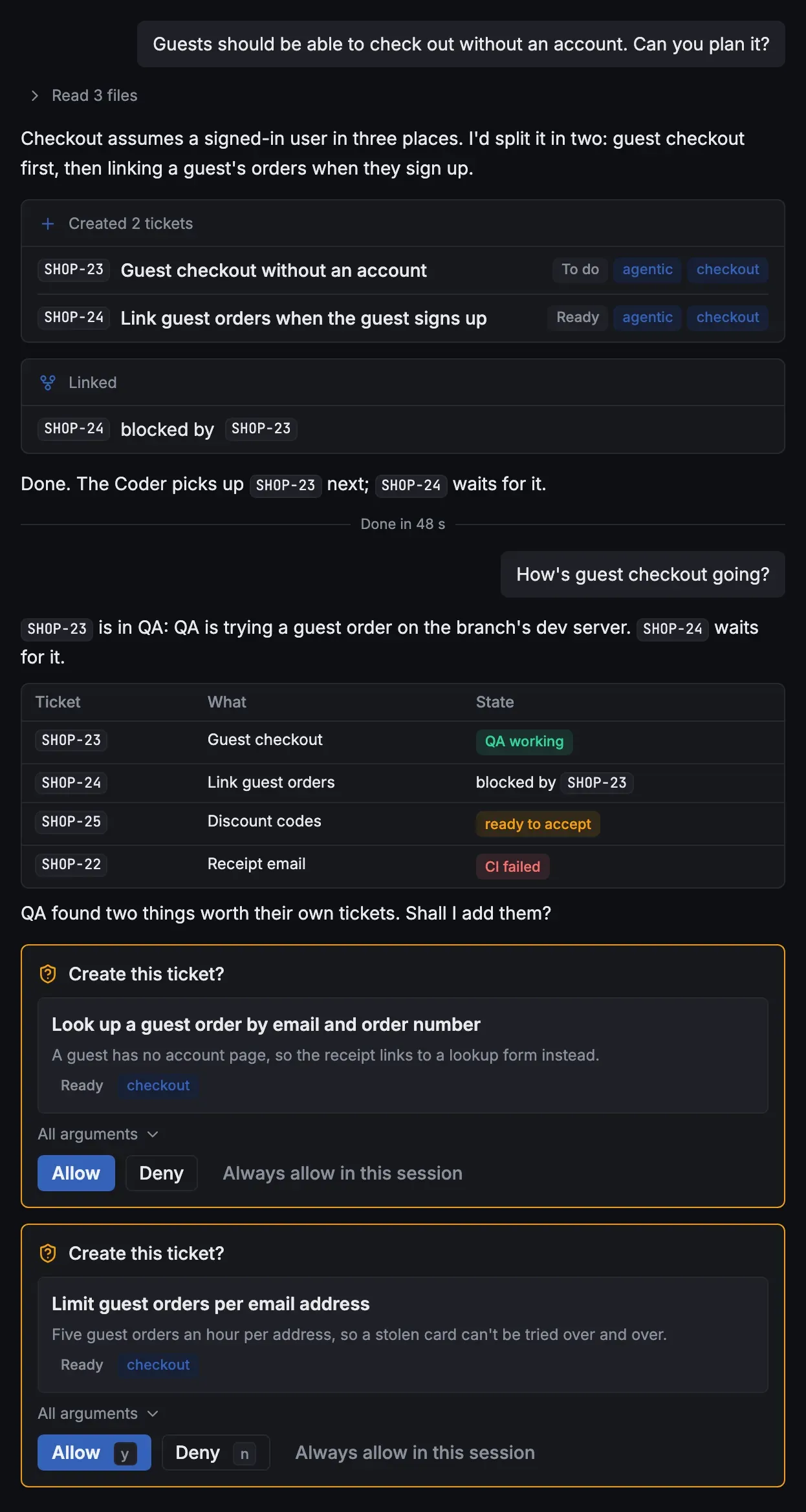
Describe what you want and the PM plans it into tickets, links what blocks what and starts them. It knows every project, ticket, run and agent, so you can ask it anything.

  • Plans the work. Reads your code and drafts tickets with scope and "done when".
  • Knows why things are stuck. Reads the PR, CI, agents and Inbox, and unsticks them.
  • Watches for you. Tells you when a ticket, run or release finishes, fails or needs you.
  • Asks before it acts. You confirm every ticket, edit or message, unless you let it act.

More about the PM →

A conversation with the PM. Asked to plan guest checkout, it reads three files, creates two tickets and links one as blocked by the other. Hours later it answers how it is going with a table of tickets and their states, and asks to create two follow-up tickets, each with Allow and Deny.
// features

Everything a team needs, running on one machine.

See every feature →

// bring your own agents

Use the agents you already pay for.

PDT runs the official CLIs with your own logins. No resold tokens, no middleman.

CClaude Code
claude auth login
◎Codex
codex login
DDevin
devin auth login
GGrok
grok login
CuCursor
cursor-agent login
πOhMyPi
omp login
AAntigravity
Sign in in Settings

Any other agent that speaks the Agent Client Protocol (ACP) can be added in Settings › Agents. Connect your agents →

// built inside PDT

PDT is built by PDT.

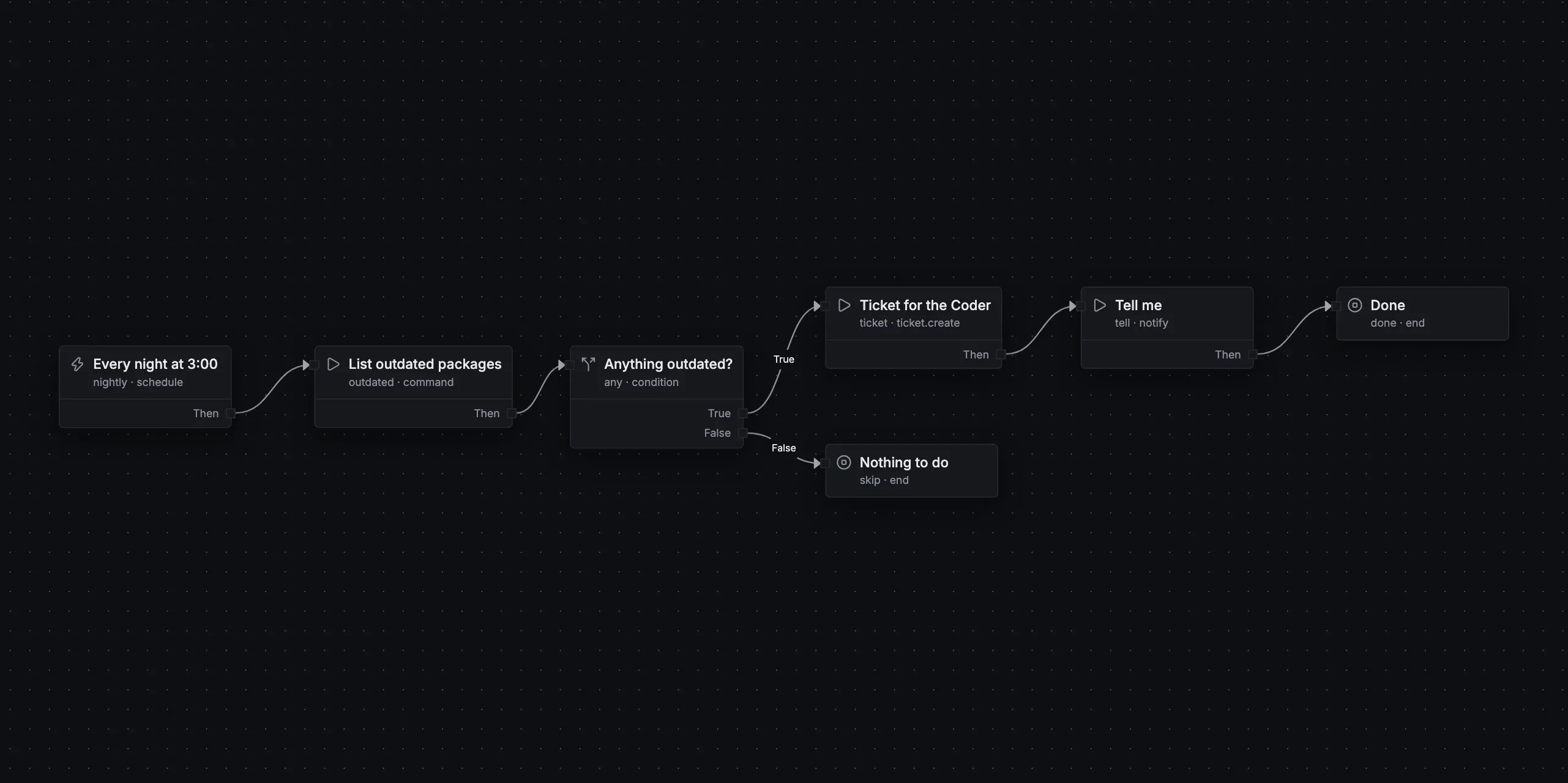
Every feature on this page went through PDT's own board: an agent took the ticket, built it in a worktree, tested it as a dev instance of PDT and opened the PR.

485tickets
448PRs merged
165releases
1human
// local first

Your code stays on your machine.

  • A daemon, not a cloud. Everything runs on 127.0.0.1, and your repos never leave your disk.
  • Secrets in the keychain. Agents use your tokens without ever seeing them.
  • Updates that roll back. New releases install while you're idle, are health-checked, and revert if they fail.

Hire your dev team.

Free and open source. Bring your own agents.

curl -fsSL https://pdt.dev/install.sh | sh

Apple silicon or Intel. Installs into ~/Applications and starts at login. Or download it.

curl -fsSL https://pdt.dev/install.sh | sh

x86_64 or aarch64, glibc 2.35 or newer. Installs into ~/.local/opt/pdt as a systemd user service. Or download it.

irm https://pdt.dev/install.ps1 | iex

In PowerShell. Installs for you only, without admin rights, and starts at login. Or download it.